
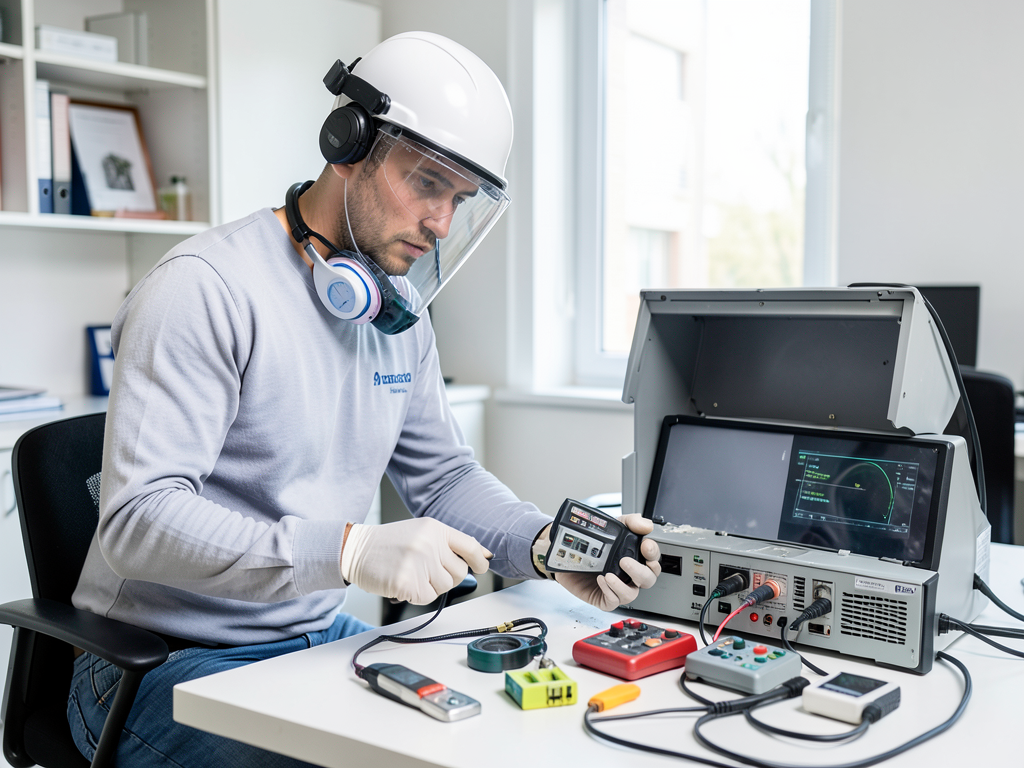
Protecting Your Home Office Electronics After a Water Leak in Your Snyder Spare Room
Water and electronics do not mix. If your Snyder spare room has flooded, your first priority is safety. Turn off the circuit breaker to the room immediately before touching anything. Standing water near powered devices creates an electrocution hazard that can be fatal. Once power is off, you have a narrow window to save your equipment before corrosion begins. Repairing water damage from frozen pipes in Clarence.
Critical Safety First: The Danger of Wet Electronics
Before doing anything else, shut off power at the breaker panel. Water conducts electricity, and even a small amount can create a deadly current path. Never use a wet hand to unplug devices or flip switches. If water covers outlets or power strips, call a professional restoration team before entering the room. Commercial water damage and drying experts in Downtown Buffalo.
Water damage falls into categories based on contamination. Clean water from a burst pipe in your Snyder home carries minerals and dissolved solids that begin corroding metal contacts within 24-48 hours. Gray water from a washing machine or dishwasher contains detergents and biological matter that accelerates corrosion. Black water from sewage backups introduces bacteria and chemicals that make electronics unsafe to handle without protective equipment. Safe basement water removal services in Lancaster NY.
Step-by-Step Electronics Salvage Checklist
Time matters more than perfect technique. Every hour increases the risk of permanent damage.
- Power Down and Unplug
Remove batteries from laptops, unplug all devices from wall outlets, and disconnect network cables. Do not just turn off devices. Remove the power source completely.
- Remove External Components
Take out SD cards, USB drives, and any external storage. These often survive if dried quickly. For desktop computers, remove the CMOS battery to prevent short circuits.
- Tilt and Drain
Hold devices at an angle to let water drain from ports and seams. Do not shake or tap devices. This can force water deeper into circuitry.
- Initial Drying
Use lint-free cloths to gently dab excess water. Do not rub or wipe surfaces. For keyboards, turn them upside down and let gravity pull water out.
- Professional Drying Methods
Place devices in a sealed container with silica gel packets. Professional restoration teams use commercial desiccants that absorb moisture 10 times faster than household options. Rice is a myth that traps dust and starches inside devices.
Specific Device Care: Computers, Monitors, and Data Storage
Desktop computers require different handling than laptops. For tower PCs, remove the side panel and inspect the motherboard for visible water. If water reached the power supply unit, replacement is usually necessary. Power supplies contain capacitors that hold dangerous charges even when unplugged.
Laptop keyboards are often the first component to fail. The membrane beneath keys can short out from minimal moisture. External keyboards can be replaced for under $50, making them disposable in emergency situations.
Monitors require special attention. LCD panels contain liquid crystals that can permanently cloud if exposed to water. LED-backlit monitors are more resistant but still vulnerable. If water entered through ventilation slots, the backlight may fail within days.
Data storage devices need immediate priority. Solid-state drives (SSDs) are more water-resistant than traditional hard disk drives (HDDs). HDDs contain spinning platters that can seize if water reaches the motor. For external drives, remove the drive from its enclosure and dry it separately. EPA mold guidelines.
Buffalo’s climate affects recovery outcomes. Our high humidity summers mean devices take longer to dry completely. Devices left in 70% relative humidity environments may develop mold growth within 48 hours. Professional restoration teams use dehumidifiers that maintain 30% RH specifically for electronics recovery.
When to Call a Professional Restoration Team
Some situations require professional equipment and expertise. If water reached circuit boards, professional ultrasonic cleaning can remove mineral deposits and prevent corrosion. This process uses high-frequency sound waves in a specialized cleaning solution to clean components without physical contact.
Professional teams also use thermal imaging to detect hidden moisture in walls and flooring that could affect nearby electronics. A moisture meter reading above 15% in wall cavities indicates elevated humidity that will continue damaging equipment.
Data recovery becomes necessary when devices fail to power on after drying. Professional recovery services can often retrieve data from devices that appear completely dead. The cost ranges from $300 to $2,000 depending on damage severity and storage type.
Insurance considerations matter for high-value equipment. Erie County homeowners policies typically cover water damage to electronics, but documentation requirements are strict. Take photos of all damaged equipment before moving anything. Create an inventory with model numbers and approximate purchase dates. How to Handle Insurance Claims.
Insurance Claims for Office Equipment in Erie County
New York State insurance regulations require specific documentation for electronics claims. Erie County adjusters look for proof of value, not just replacement cost. Keep receipts for expensive equipment or document original purchase prices through bank statements.
Business interruption coverage may apply if your home office generates income. This coverage can reimburse lost earnings while equipment is being repaired or replaced. Document your typical monthly income and any contracts that were affected by equipment loss.
Professional restoration teams often work directly with insurance companies. They provide detailed damage assessments and restoration estimates that insurance adjusters accept without question. This speeds up claim processing and reduces out-of-pocket expenses.
Time limits affect claim eligibility. Most policies require notification within 14 days of damage discovery. Waiting longer can result in claim denial even for covered losses. Document damage immediately with photos and videos.
Preventing Future Water Damage in Your Snyder Home Office
Snyder’s older homes often have aging plumbing that increases leak risk. Galvanized steel pipes common in homes built before 1960 corrode from the inside out. A pipe may look fine externally while failing internally.
Water heater failures cause many office floods. Tanks typically last 8-12 years. After this age, the risk of sudden failure increases dramatically. Consider replacing units over 10 years old before they fail.
Smart water sensors provide early warning. These devices detect moisture and send alerts to your phone within seconds. Place them near water heaters, under sinks, and in spare rooms with electronics.
Elevated shelving protects equipment from minor floods. Store electronics at least 12 inches above floor level. This simple step can save thousands in equipment replacement costs.
Regular maintenance prevents many water damage incidents. Have a plumber inspect your home’s plumbing system annually. Check for signs of corrosion, loose fittings, and slow leaks that could indicate developing problems.
Common Mistakes That Make Water Damage Worse
Using a hair dryer on wet electronics creates static electricity that can destroy circuits. The heat also warps plastic components and can cause battery swelling in laptops.
Leaving devices in direct sunlight accelerates corrosion. UV exposure breaks down protective coatings on circuit boards while heat speeds up chemical reactions between water and metal.
Attempting to power on devices too soon causes catastrophic failure. Even small amounts of moisture can create short circuits that destroy processors and memory chips instantly.
Ignoring corrosion signs leads to gradual failure. White powdery deposits around ports indicate mineral buildup that continues damaging components even after drying. Professional cleaning removes these deposits before they cause permanent damage.
Delaying professional help reduces recovery chances. The first 48 hours determine whether electronics can be salvaged. After this window, corrosion becomes irreversible in most cases.
Local Resources for Snyder Residents
Snyder’s location near Lake Erie means higher humidity levels than inland areas. This affects drying times and mold growth risk. Professional restoration teams familiar with local conditions understand these challenges.
Erie County’s building codes require specific moisture mitigation in finished basements. If your spare room is below grade, ensure proper drainage systems are functioning before restoring electronics. Restoring your Elmwood Village home after a major water leak.
Local data recovery specialists in Amherst and Williamsville offer services specifically for water-damaged electronics. These businesses understand the urgency of business equipment recovery.
Professional restoration companies in Buffalo maintain relationships with electronics repair specialists. This network ensures damaged equipment receives appropriate specialized care rather than generic drying attempts.
Cost Considerations for Electronics Restoration
Professional drying and cleaning for a typical home office setup costs $300-$800. This includes moisture removal, corrosion prevention treatment, and functionality testing.
Data recovery from water-damaged drives ranges from $300 to $2,000. Simple file retrieval from SSDs costs less than complex platter recovery from HDDs.
Insurance deductibles typically range from $500 to $2,500. If your equipment value is below your deductible, professional restoration may not be cost-effective.
Replacement costs vary widely. A high-end gaming PC can cost $3,000-$5,000 to replace. Professional restoration might save 60-80% of this cost if successful.
Time value matters for business equipment. Every day without critical devices can cost hundreds in lost productivity. Professional restoration often returns equipment within 24-48 hours versus weeks for insurance replacement.
Emergency Contact Information
When water threatens your home office electronics, every minute counts. Professional restoration teams in Buffalo offer 24/7 emergency response. They arrive with industrial-grade equipment designed specifically for electronics recovery.
Documentation matters for insurance claims. Professional teams provide detailed damage assessments, photo documentation, and itemized restoration estimates that insurance companies accept without question.
Local expertise makes a difference. Buffalo restoration companies understand our unique climate challenges, from lake effect humidity to rapid freeze-thaw cycles that stress plumbing systems.
Don’t risk permanent damage to valuable equipment. Professional restoration offers the best chance of saving your electronics while protecting your data and productivity.
Call (716) 317-7717 today to schedule your inspection. Our team responds within 60 minutes for emergency situations in Snyder and surrounding areas.
Frequently Asked Questions
How long do I have to save water-damaged electronics?
You have approximately 48 hours before corrosion becomes irreversible. The first 24 hours are critical for preventing permanent damage. Professional restoration teams can often save equipment even after 48 hours, but success rates drop significantly.
Can I use rice to dry my wet electronics?
No. Rice is ineffective and can cause additional damage. It traps dust and starches inside devices while absorbing minimal moisture. Professional desiccants or silica gel packets are 10 times more effective and do not introduce contaminants.
Will my homeowner’s insurance cover water-damaged electronics?
Most Erie County homeowner’s policies cover sudden water damage to electronics. However, coverage depends on the water source and your specific policy terms. Clean water from burst pipes is typically covered, while flood damage from external sources may require separate coverage.
How can I tell if my electronics are beyond repair?
Signs of severe damage include visible corrosion on circuit boards, burning smells, or devices that fail to power on after complete drying. Professional assessment can determine if components are salvageable. Even devices that appear dead may have recoverable data.
What should I do if my laptop gets wet?
Immediately power off the laptop, unplug it, and remove the battery if possible. Do not attempt to turn it on again. Tilt the laptop to drain water, then place it in a sealed container with silica gel packets. Contact a professional restoration service for the best chance of recovery.
How much does professional electronics restoration cost?
Professional drying and cleaning for a typical home office setup costs $300-$800. Data recovery from water-damaged drives ranges from $300 to $2,000. These costs are often covered by insurance and are usually less than replacement costs. For more information, visit IICRC standards.
You may also find this helpful. Why Your North Park Ice Maker Line is a Ticking Time Bomb for Water Damage.
{
“@context”: “https://schema.org”,
“@type”: “BlogPosting”,
“headline”: “Protecting Your Home Office Electronics After a Water Leak in Your Snyder Spare Room”,
“description”: “Emergency guide for salvaging wet home office equipment after a Snyder basement leak. Learn immediate safety steps, corrosion prevention, and when to call a professional.”,
“wordCount”: 1898,
“datePublished”: “2026-06-11T15:18:00.000Z”,
“dateModified”: “2026-06-11T15:18:00.000Z”,
“inLanguage”: “en-US”,
“mainEntityOfPage”: {
“@type”: “WebPage”,
“@id”: “https://alphawaterdamagerestorationbuffalo.com”
},
“publisher”: {
“@type”: “LocalBusiness”,
“name”: “Alpha Water Damage Restoration Buffalo”,
“url”: “https://alphawaterdamagerestorationbuffalo.com”
},
“author”: {
“@type”: “Organization”,
“name”: “Alpha Water Damage Restoration Buffalo”,
“url”: “https://alphawaterdamagerestorationbuffalo.com”
},
“image”: {
“@type”: “ImageObject”,
“url”: “https://alphawaterdamagerestorationbuffalo.com/wp-content/uploads/2026/03/protecting-your-home-office-electronics-after-a-wa-1.png”
}
}
{
“@context”: “https://schema.org”,
“@type”: “LocalBusiness”,
“name”: “Alpha Water Damage Restoration Buffalo”,
“url”: “https://alphawaterdamagerestorationbuffalo.com”,
“address”: {
“@type”: “PostalAddress”,
“addressLocality”: “Buffalo”
},
“areaServed”: {
“@type”: “City”,
“name”: “Buffalo”
}
}
{
“@context”: “https://schema.org”,
“@type”: “FAQPage”,
“mainEntity”: [
{
“@type”: “Question”,
“name”: “How long do I have to save water-damaged electronics?”,
“acceptedAnswer”: {
“@type”: “Answer”,
“text”: “You have approximately 48 hours before corrosion becomes irreversible. The first 24 hours are critical for preventing permanent damage. Professional restoration teams can often save equipment even after 48 hours, but success rates drop significantly.”
}
},
{
“@type”: “Question”,
“name”: “Can I use rice to dry my wet electronics?”,
“acceptedAnswer”: {
“@type”: “Answer”,
“text”: “No. Rice is ineffective and can cause additional damage. It traps dust and starches inside devices while absorbing minimal moisture. Professional desiccants or silica gel packets are 10 times more effective and do not introduce contaminants.”
}
},
{
“@type”: “Question”,
“name”: “Will my homeowner’s insurance cover water-damaged electronics?”,
“acceptedAnswer”: {
“@type”: “Answer”,
“text”: “Most Erie County homeowner’s policies cover sudden water damage to electronics. However, coverage depends on the water source and your specific policy terms. Clean water from burst pipes is typically covered, while flood damage from external sources may require separate coverage.”
}
},
{
“@type”: “Question”,
“name”: “How can I tell if my electronics are beyond repair?”,
“acceptedAnswer”: {
“@type”: “Answer”,
“text”: “Signs of severe damage include visible corrosion on circuit boards, burning smells, or devices that fail to power on after complete drying. Professional assessment can determine if components are salvageable. Even devices that appear dead may have recoverable data.”
}
},
{
“@type”: “Question”,
“name”: “What should I do if my laptop gets wet?”,
“acceptedAnswer”: {
“@type”: “Answer”,
“text”: “Immediately power off the laptop, unplug it, and remove the battery if possible. Do not attempt to turn it on again. Tilt the laptop to drain water, then place it in a sealed container with silica gel packets. Contact a professional restoration service for the best chance of recovery.”
}
},
{
“@type”: “Question”,
“name”: “How much does professional electronics restoration cost?”,
“acceptedAnswer”: {
“@type”: “Answer”,
“text”: “Professional drying and cleaning for a typical home office setup costs $300-$800. Data recovery from water-damaged drives ranges from $300 to $2,000. These costs are often covered by insurance and are usually less than replacement costs. For more information, visit IICRC standards.”
}
}
]
}
{
“@context”: “https://schema.org”,
“@type”: “HowTo”,
“name”: “Emergency Electronics Salvage”,
“step”: [
{
“@type”: “HowToStep”,
“position”: 1,
“name”: “Power Down and Unplug”,
“text”: “Remove batteries from laptops, unplug all devices from wall outlets, and disconnect network cables. Do not just turn off devices. Remove the power source completely.”
},
{
“@type”: “HowToStep”,
“position”: 2,
“name”: “Remove External Components”,
“text”: “Take out SD cards, USB drives, and any external storage. These often survive if dried quickly. For desktop computers, remove the CMOS battery to prevent short circuits.”
},
{
“@type”: “HowToStep”,
“position”: 3,
“name”: “Tilt and Drain”,
“text”: “Hold devices at an angle to let water drain from ports and seams. Do not shake or tap devices. This can force water deeper into circuitry.”
},
{
“@type”: “HowToStep”,
“position”: 4,
“name”: “Initial Drying”,
“text”: “Use lint-free cloths to gently dab excess water. Do not rub or wipe surfaces. For keyboards, turn them upside down and let gravity pull water out.”
},
{
“@type”: “HowToStep”,
“position”: 5,
“name”: “Professional Drying Methods”,
“text”: “Place devices in a sealed container with silica gel packets. Professional restoration teams use commercial desiccants that absorb moisture 10 times faster than household options. Rice is a myth that traps dust and starches inside devices.”
}
],
“image”: “https://alphawaterdamagerestorationbuffalo.com/wp-content/uploads/2026/03/protecting-your-home-office-electronics-after-a-wa-1.png”
}
{
“@context”: “https://schema.org”,
“@type”: “BreadcrumbList”,
“itemListElement”: [
{
“@type”: “ListItem”,
“position”: 1,
“name”: “Home”,
“item”: “https://alphawaterdamagerestorationbuffalo.com”
},
{
“@type”: “ListItem”,
“position”: 2,
“name”: “Blog”,
“item”: “https://alphawaterdamagerestorationbuffalo.com/blog”
},
{
“@type”: “ListItem”,
“position”: 3,
“name”: “Protecting Your Home Office Electronics After a Water Leak in Your Snyder Spare Room”
}
]
}
{
“@context”: “https://schema.org”,
“@type”: “Service”,
“serviceType”: “Water Damage Restoration”,
“provider”: {
“@type”: “LocalBusiness”,
“name”: “Alpha Water Damage Restoration Buffalo”,
“url”: “https://alphawaterdamagerestorationbuffalo.com”
},
“areaServed”: {
“@type”: “City”,
“name”: “Buffalo”
},
“description”: “Emergency guide for salvaging wet home office equipment after a Snyder basement leak. Learn immediate safety steps, corrosion prevention, and when to call a professional.”
}